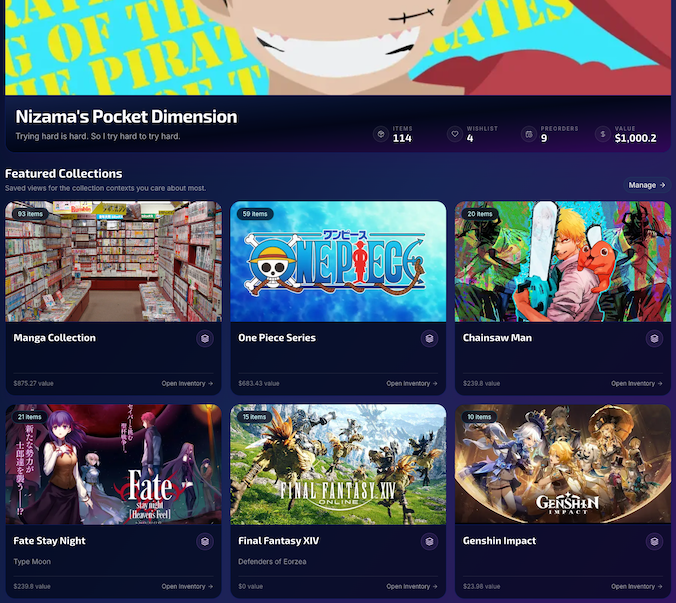
Pocket Dimension! Live Beta
Pocket Dimension is a private personal collection and inventory app built for people whose interests do not fit neatly into one category. As of August 1, 2026, the public beta is officially live.
We collect a lot of different things.
Books. Manga. Games. Figures. Collectibles. Technology. Random objects connected to stories, characters, creators, and parts of our lives that made them worth keeping.
There are already apps that track some of those things individually and very well. You can find an app for books, another for games, another for figures, and another for movies.
Then everything else gets a spreadsheet. That gap is where Pocket Dimension began.
That gap is where Pocket Dimension began.
I wanted one private place where I could track what I own without forcing every item into the logic of a single hobby. A manga volume, Nendoroid, game, signed print, storage bin, and piece of furniture may be completely different objects, but they can still belong to the same collection, series, room, character, or personal history.
Pocket Dimension is built around those connections.
After months of development, rebuilding, testing, and repeatedly finding new ways to complicate what once sounded like a simple inventory app, Pocket Dimension is now available in public beta.
August 1, 2026, is officially Pocket Launch Day.
Why I Built Pocket Dimension
Most collection apps begin with the category.
A book app understands books. A game app understands games. A figure database understands figures from the product lines it supports.
That works until your collection crosses those boundaries.
Someone collecting One Piece may own manga, Blu-rays, games, figures, statues, cards, clothing, convention merchandise, signed artwork, and items connected to specific characters or creators.
Those objects belong together in the collector’s mind, even when existing software separates them.
Pocket approaches organization from the opposite direction.
The collection belongs to you first.
Categories, series, characters, creators, product lines, rooms, containers, and other relationships help describe it, but they do not decide what you are allowed to track.
Pocket is intended to function as a private workspace for your belongings rather than a public social profile or a catalog that only recognizes approved products.
Catalogs and automatic lookup tools can make adding items faster. They should not determine whether an item is valid.
Manual entry remains a first-class part of Pocket for exactly that reason.
More Than a List of Things
At its most basic level, Pocket Dimension lets you create and manage an inventory.
You can record information such as:
- Item name and category
- Condition and quantity
- Purchase price, date, and source
- Product numbers, barcodes, ISBNs, and JAN codes
- Notes, descriptions, images, and product links
- Series, companies, product lines, authors, artists, characters, and people
- The room, location, or container where an item currently lives
Inventory can be viewed in card, and table, with search and sorting across more than just item titles.
But the goal was never simply to create a prettier spreadsheet.
Pocket is designed to represent how a collection is actually organized, both physically and conceptually.
Rooms, Locations, and Containers
Knowing that you own something is only part of inventory management.
The other question is:
Where is it?
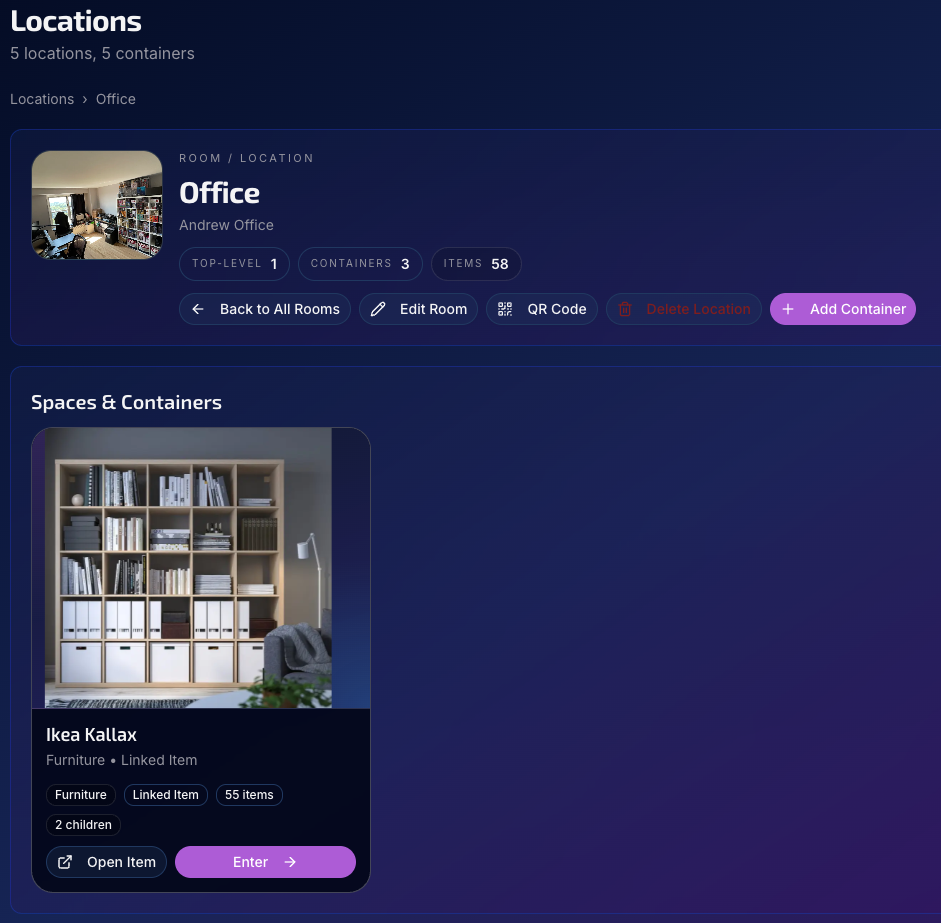
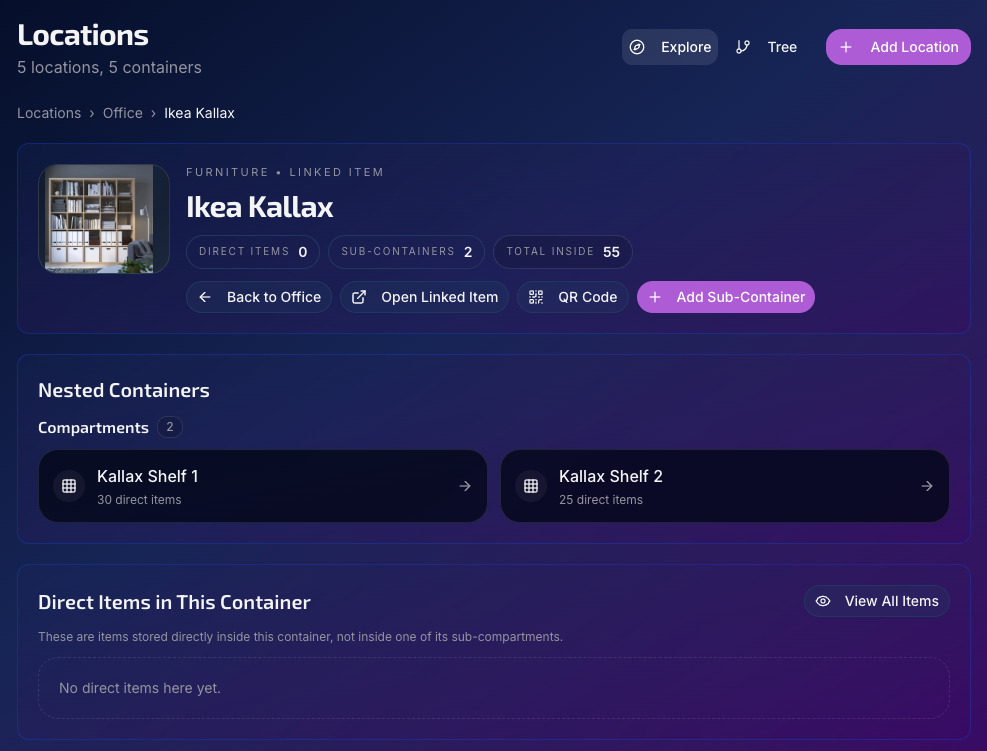
Pocket lets you organize items by rooms, spaces, containers, and nested containers.
A figure might be displayed in the living room. A game could be inside a storage bin in a closet. That storage bin may itself sit inside a shelving unit.
Pocket can represent that physical structure.
Inventory items can also function as containers. A bookshelf, display cabinet, media console, storage chest, or other tracked item can hold additional inventory.
This allows the physical organization of a collection to exist inside the same system as the collection itself instead of being treated as an unrelated note.
Wishlist and Preorders Are Different Things
Pocket includes separate areas for your wishlist and your preorders because wanting something and committing to buy it are not the same situation.
The Wishlist can hold items you are considering, watching, or hoping to purchase later. You can save prices, source links, release dates, availability deadlines, and notes, then move an item into your inventory or preorder list when its status changes.
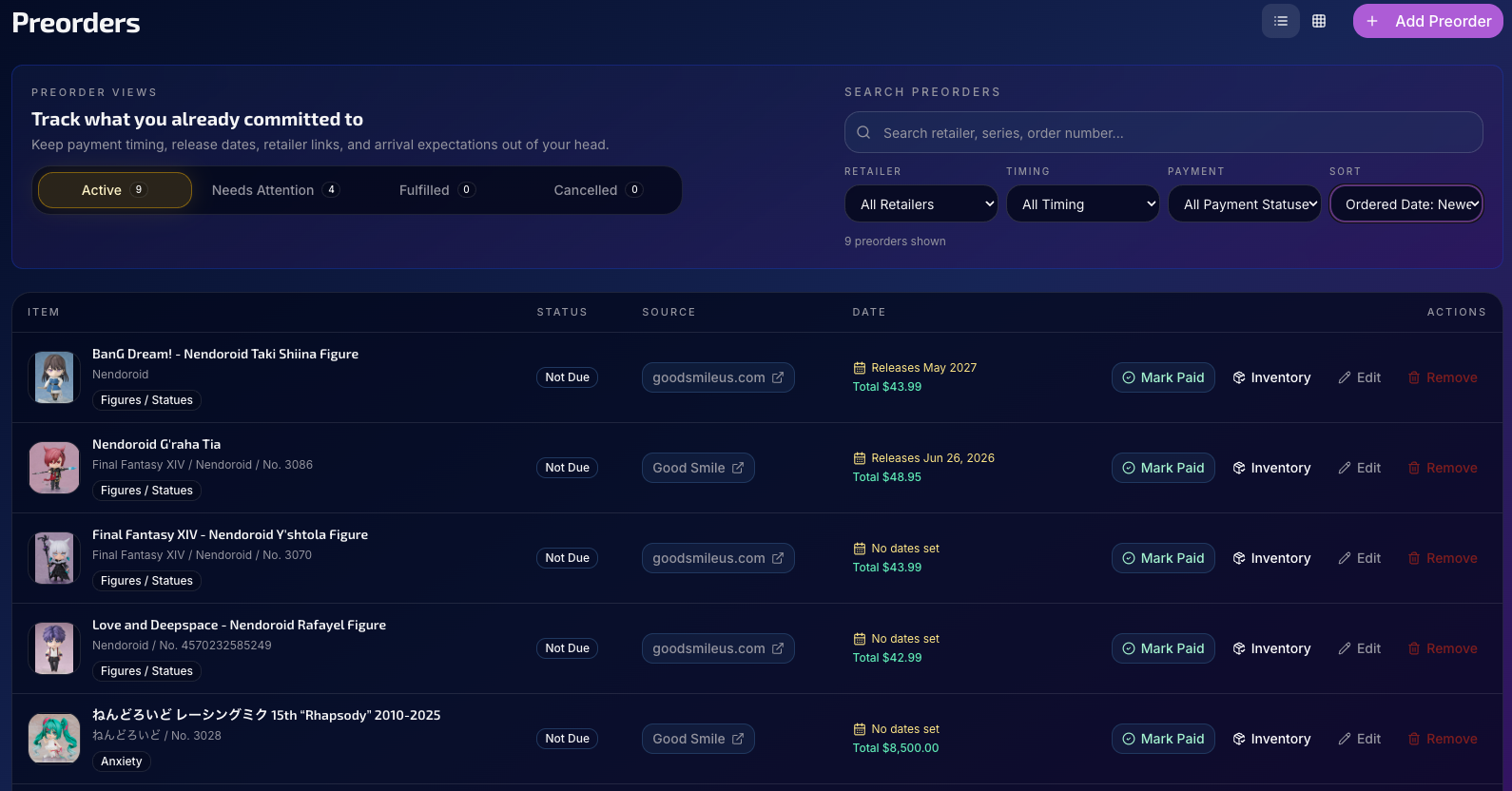
Preorders are for purchases you have already committed to.
You can track:
- Retailer or purchase source
- Order number
- Payment status
- Payment due date
- Release date
- Expected arrival
- Cost and product details
- Notes and relevant metadata
Preorders can be organized by active orders, items needing attention, completed orders, and cancellations.
When a preorder arrives, it can be added directly to your inventory rather than recreated from the beginning.
That creates a complete path from interest, to commitment, to ownership.
Collections That Build Themselves
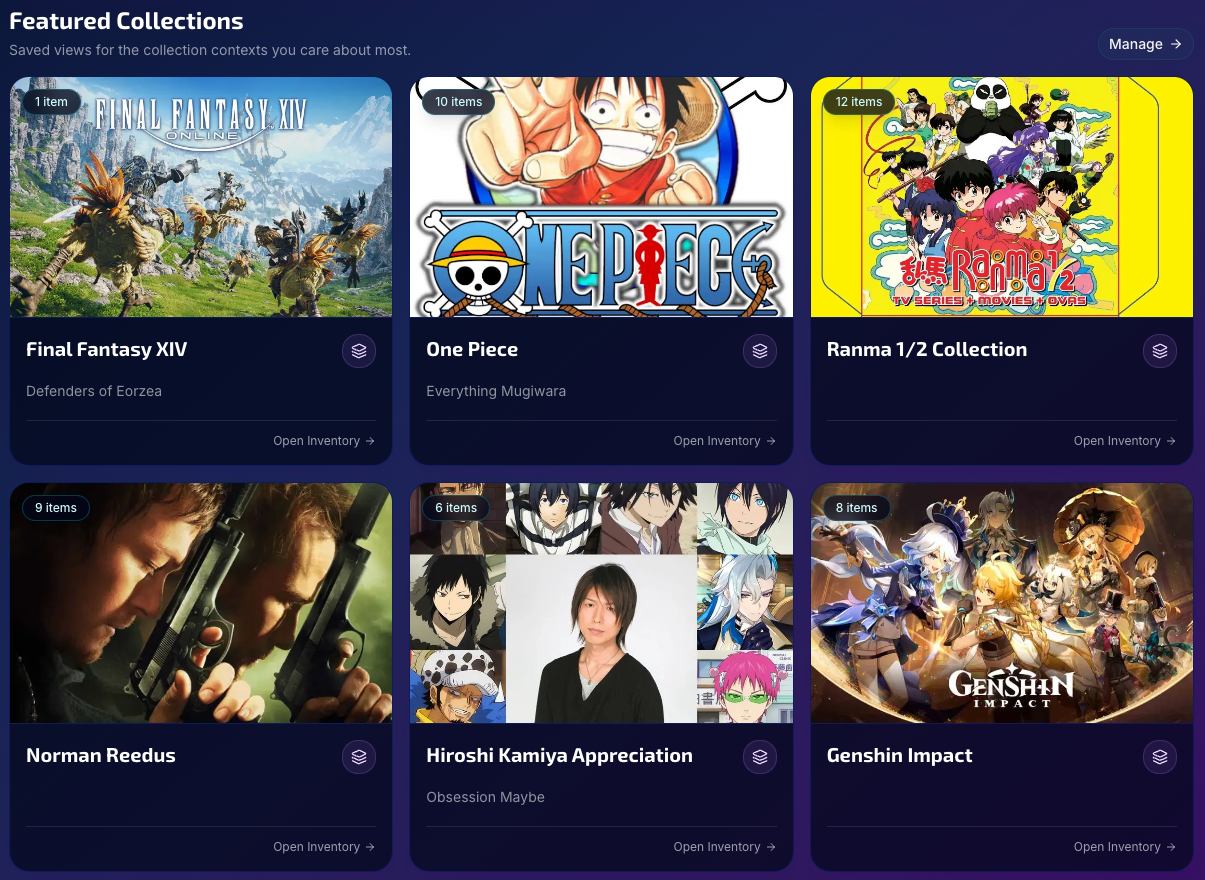
Pocket also includes Featured Collections: saved views created from the relationships and information already attached to your items.
A collection can be built around criteria such as:
- Category
- Series or franchise
- Character
- Person
- Author or artist
- Company
- Product line
- Platform
- Condition
- Tags
This means a collection does not need to be another folder you maintain manually.
You could create a collection for all of your One Piece items, every Nendoroid you own, your manga library, everything connected to a specific character, or items related to a particular actor or voice performer.
As matching items are added to Pocket, those collections can update with them.
Characters, Creators, and the People Behind Collections
One of the more ambitious parts of Pocket is its relationship system.
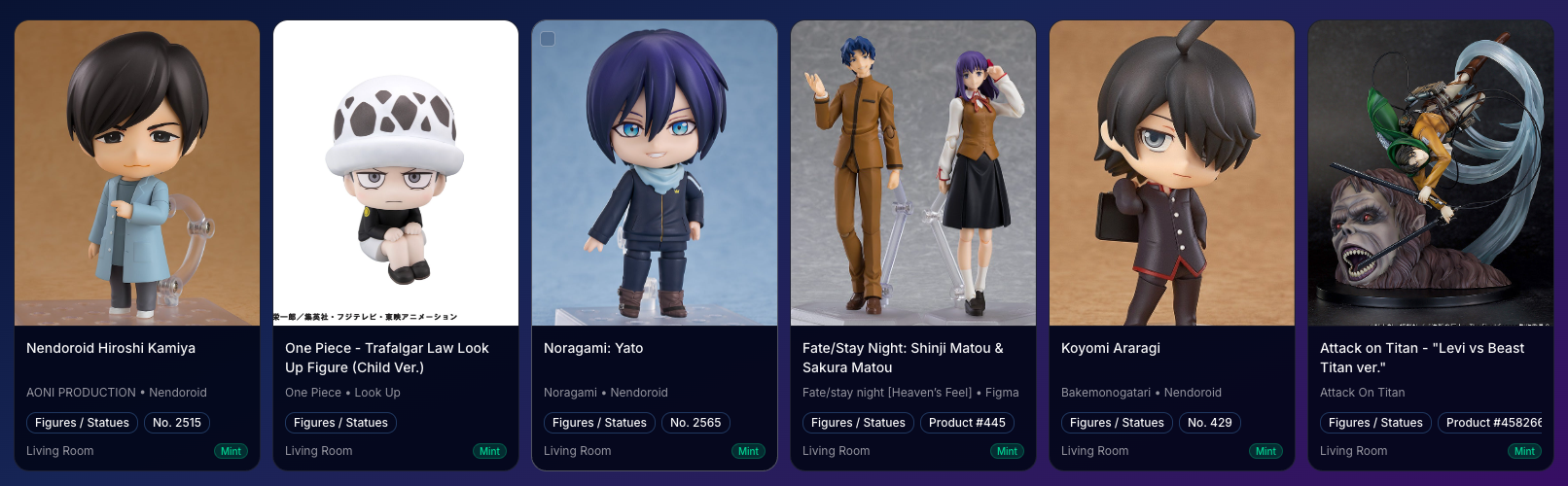
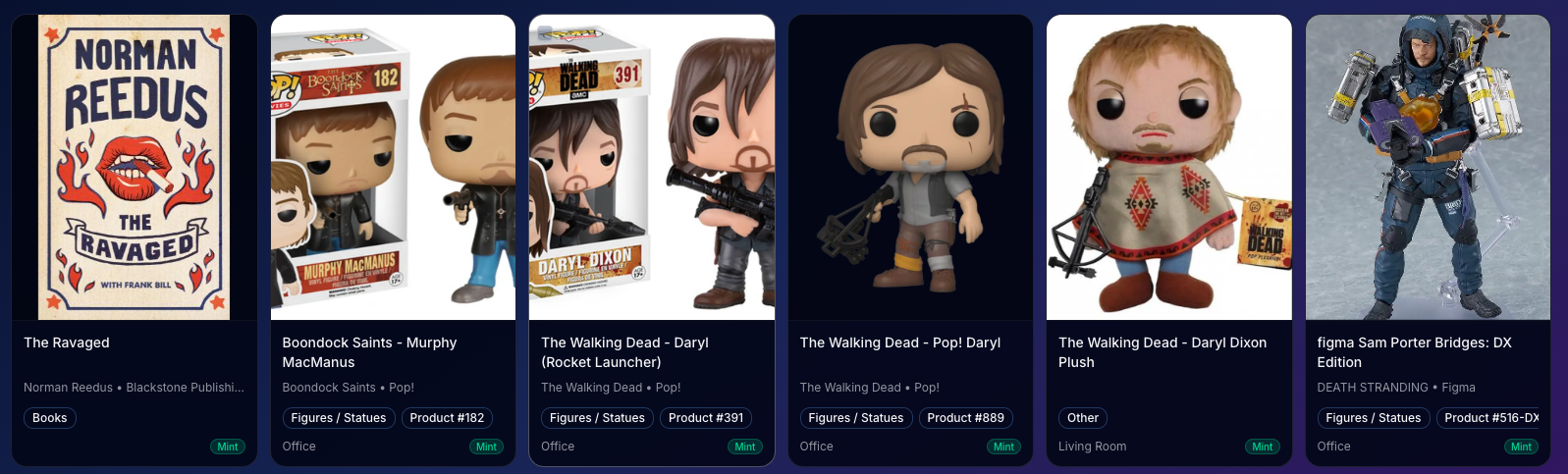
Items can be connected not only to a series or product line, but also to characters and people.
A person might be connected to a character as a voice actor, actor, creator, designer, or another relevant role. Those relationships can then connect different parts of a collection.
For example, Pocket is being designed to answer questions like:
- What do I own that is connected to this character?
- Which of my items feature characters voiced by this person?
- What books do I own by this author?
- Which products in my collection belong to this company or product line?
- What items across multiple categories are part of the same franchise?
Collectors already think this way.
Pocket is attempting to make the software think this way too.
Multiple Ways to Add Items
No single intake method works for every object, website, or collection.
Pocket currently separates adding items into three primary paths:
Catalog Lookup
Reading material can be searched through a Google Books-powered catalog lookup, with barcode support for ISBN-based items.
Pocket is also developing its own internal catalog foundation, although it is still early and should not be mistaken for a complete universal product database.
Import From a URL
Supported product pages can be used to pre-fill inventory, wishlist, or preorder information.
Current support includes selected Good Smile, Good Smile US, and ORZGK-style product pages.
Website access and page structure can vary, so URL imports will not work everywhere. Pocket fails honestly when a page cannot be processed instead of pretending incomplete information is reliable.
Manual Entry
Manual entry is always available.
The goal is to reduce repetitive typing where possible without making the app dependent on outside catalogs, APIs, or retailers recognizing every item you own.
Sometimes the object in front of you is the source of truth.
Your Collection Home Base
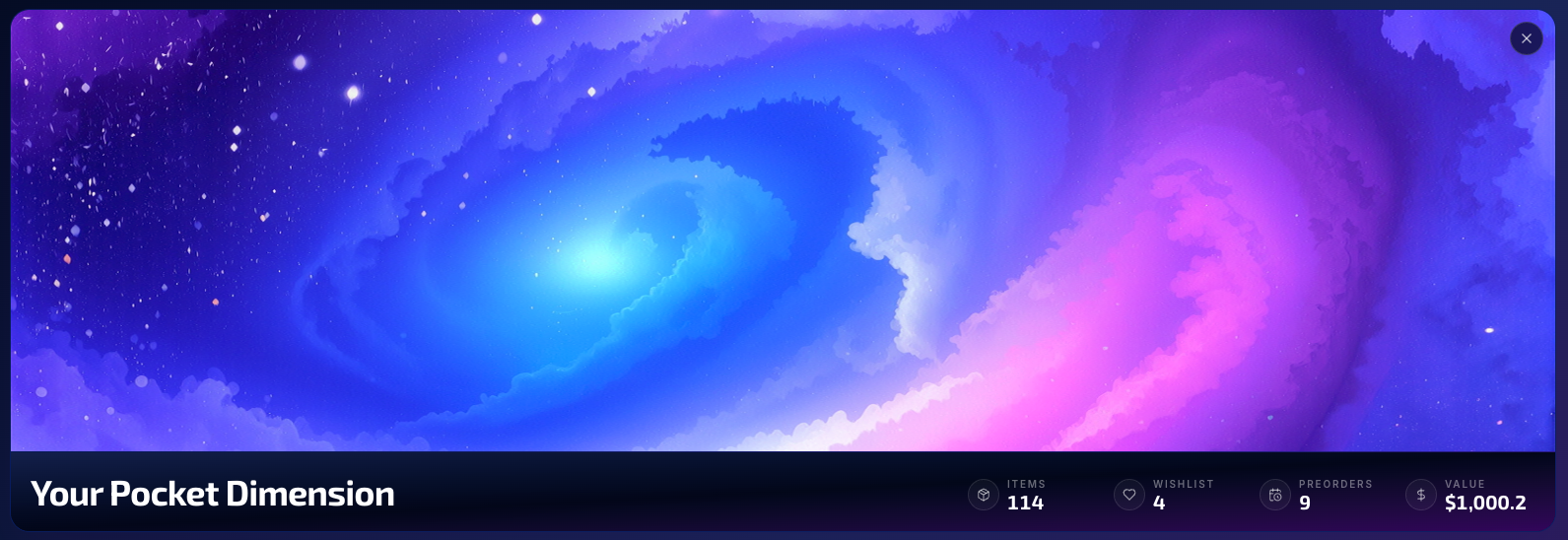
The Pocket dashboard is intended to feel like a collection home rather than a generic software administration panel.
It can surface:
- Inventory totals
- Wishlist and preorder activity
- Featured Collections
- Recent inventory updates
- Optional collection value information
- A customizable visual cover
Image presentation controls also allow users to choose whether images should fill their frames or display in full, with focus adjustments for covers, product photography, locations, containers, and collection artwork.
A manga cover and a product photo rarely want to be displayed the same way. Pocket accounts for that.
What the Beta Means
Pocket Dimension is functional, but it is still being actively developed.
Some parts of the system are more mature than others.
The internal catalog is still growing. URL imports currently support a limited number of sites. Image galleries, preorder file attachments, package tracking, currency history, and several other planned features are not part of the current beta release.
The purpose of opening Pocket now is not to pretend it is finished.
It is to move beyond building only from my own assumptions.
Real collections are messy. People organize differently. The same feature can feel obvious to one collector and completely backwards to another.
The beta provides an opportunity to see how Pocket behaves when people bring in collections, workflows, and organizational logic that are not mine.
That feedback will help determine what needs refinement, what is missing, and which ideas are genuinely useful outside my own Pocket Dimension.
Pocket Launch Day
There is a strange difference between building something that technically exists and releasing something that other people can actually use.
Pocket has existed in some form for a while.
It has been redesigned, expanded, tested privately, filled with demo data, broken, repaired, and subjected to the kind of feature expansion that happens when the person designing the application is also its original target user. Read as “Dogfooding”.
But August 1 is when it became public.
That makes August 1, 2026, Pocket Dimension’s Launch Day, even if the launch is wearing a beta badge and carrying a clipboard full of unfinished work.
Pocket Dimension is now open for people who need more than a single-category tracker, but do not want the rest of their collection scattered across disconnected apps and spreadsheets.
You can explore Pocket Dimension and join the beta at:
Welcome to Pocket Dimension.
Share This Article
Loading related posts...
Community Discussion
Sign in to join the discussion. Comments are pre-moderated before publication.